ScopeDoom: DOOM on an Oscilloscope
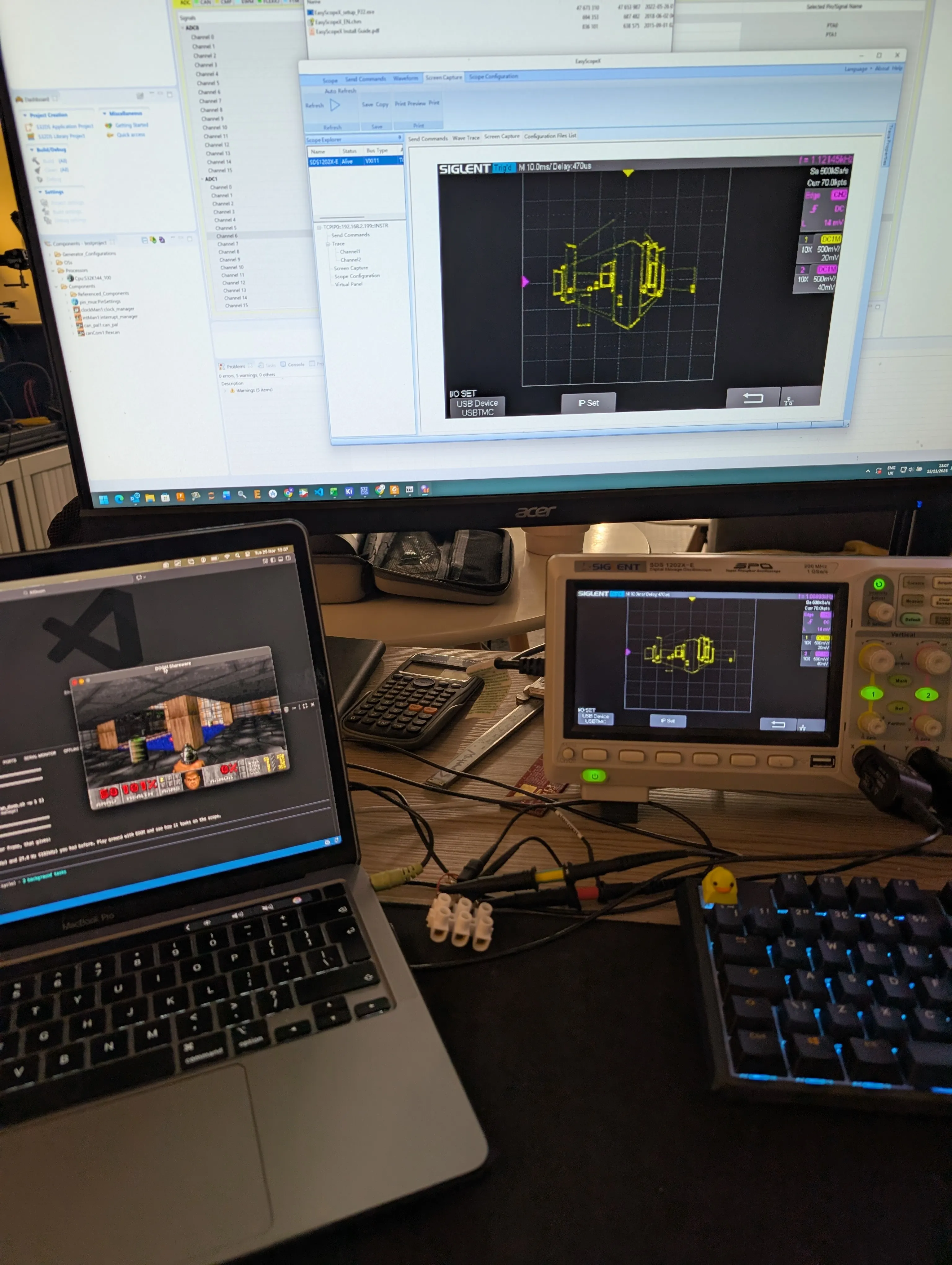
Playing DOOM on an oscilloscope by converting vector graphics to audio signals through a MacBook’s headphone jack
The Continuation
ScopeDoom emerged as the natural next step after KiDoom’s success. Once DOOM’s internal vectors were proven to work on PCB traces, the question became: what other vector displays could I target?
Oscilloscopes in XY mode are classic vector displays. Audio cards are just DACs. Put them together, and you can draw DOOM with sound.
Media Coverage
ScopeDoom was featured alongside KiDoom as part of the broader vector-rendering DOOM project story:
Featured In:
Hackaday: “KiDoom Brings Classic Shooter to KiCad”
Covers both KiDoom and ScopeDoom as demonstrations of vector-based DOOM rendering
Discusses the oscilloscope extension as a spin-off of the PCB trace renderer
Adafruit Blog: “KiDoom: Running DOOM on KiCad PCB Traces”
Mentions ScopeDoom as part of the vector rendering exploration
Hackster: “I Always Thought Trace Routing Was Evil”
Nick Bild’s coverage of the vector-based DOOM rendering projects
Tom’s Hardware: “Doom Gets Ported to Board Design App”
Coverage of the fully playable KiCad editor port running at up to 25 FPS
XDA Developers: “Someone Ported Doom Into a Circuit Board Editor”
In-depth look at how walls became PCB traces and demons became component packages
Daily.dev: “Doom Hits KiCad as PCB Traces Become Demons and Doors”
Community coverage of the creative technical achievement
#1 on Hacker News for nearly a full day
Videos:
UFD Tech YouTube Short | UFD Tech Instagram
How It Works
The same vector extraction from KiDoom drives an oscilloscope in XY mode. Audio samples trace out walls and sprites at 4-8 Hz - the oscilloscope’s electron beam literally drawing the game frame by frame.
No specialized hardware required: just DOOM, Python, and a standard 3.5mm headphone jack.